Welcome back to my Salesforce Apex tutorial series! If you caught my first post, “Getting Started with Salesforce Apex,” you’ve already set up your development environment and written a “Hello World” program. Now, we’re stepping up our game with this Apex syntax tutorial, exploring the core of Apex programming: syntax and Salesforce Apex data types. This is where you start turning ideas into functional code.
In this post, I’ll break down Apex syntax for beginners—variables, operators, and control structures—and unpack Salesforce Apex data types, from primitives like Integers to collections like Lists, Sets, and Maps. Expect plenty of examples, tips from my own learning curve, and practical insights to help you learn Apex programming with confidence. Whether you’re new to coding or brushing up on your skills, this post is your next step to mastering Apex programming. Let’s get started!
Diving Into Apex Syntax: The Foundation of Code
When I first tackled Apex, its syntax felt like a friendly nod to Java—structured, logical, and surprisingly approachable. Apex syntax is the set of rules that governs how you write instructions for Salesforce to execute. It’s the backbone of every program you’ll create, so let’s explore it piece by piece.
Variables: Storing Data in Apex
Variables are your data containers in Apex programming. They hold values—numbers, text, or true/false flags—that you can manipulate later. Declaring a variable in Apex requires a data type, a name, and, optionally, an initial value. Here’s the basic syntax:
Integer myNumber = 42;
String myName = 'Jane Doe';
Boolean isActive = true;- Data Type: Integer, String, Boolean tell Apex what kind of data the variable holds (more on types later).
- Variable Name: myNumber, myName, isActive—use camelCase and make them descriptive.
- Assignment: The = operator sets the value.
You can also declare a variable without initializing it:
Integer age;
age = 25; // Assign later
Apex is strongly typed, meaning you can’t change a variable’s type after declaring it. For example, this won’t work:
Integer count = 10;
count = 'Ten'; // Error: Type mismatch
This strictness caught me off guard at first, but it helps catch errors early. Variables are essential for Apex coding basics—they’re how you store and track data as your program runs.
Operators: Doing the Work
Operators are the tools that let you manipulate variables in Apex syntax. They perform calculations, comparisons, and more. Here’s a rundown of the key categories:
- Arithmetic Operators:
+(addition),-(subtraction),*(multiplication),/(division),%(modulus for remainders).- Example:
Integer result = 10 + 5; // 15
- Assignment Operators:
=(assigns a value),+=,-=,*=,/=(combine operation and assignment).- Example:
Integer x = 10; x += 5; // x is now 15
- Comparison Operators:
==(equals),!=(not equals),<, >, <=, >=.- Example: Boolean isGreater = (10 > 5); // true
- Logical Operators:
&&(AND),||(OR),!(NOT).- Example:
Boolean check = (x > 0 && x < 20); // true if x is between 0 and 20
Here’s a quick example combining them:
Integer a = 8;
Integer b = 3;
Integer sum = a + b; // 11
Boolean isValid = (sum > 10 && a != b); // true
Operators are your workhorses in learning Apex syntax—they make your code dynamic and responsive.
Control Structures: Directing the Flow
Control structures in Apex syntax decide how your code executes—whether it branches or repeats. They’re critical for building logic, so let’s explore them in detail.
If/Else Statements
The if statement checks a condition and runs code if it’s true:
Integer score = 85;
if (score >= 90) {
    System.debug('Excellent!');
} else if (score >= 70) {
    System.debug('Good job!');
} else {
    System.debug('Keep practicing.');
}- Conditions go in parentheses (e.g., score >= 90).
- Code blocks are wrapped in curly braces {}—even for one line, though optional, I recommend them for clarity.
You can nest if statements for complex logic:
if (score > 0) {
    if (score < 100) {
        System.debug('Score is valid.');
    }
}
I use if/else for everything from validating data to setting flags—it’s super versatile!
Loops
Loops repeat code, saving you from writing repetitive instructions. Apex offers three main types:
- For Loop (Counter-Based): Runs a fixed number of times.
for (Integer i = 0; i < 5; i++) {
    System.debug('Count: ' + i);
}
i = 0: Starting value.i < 5: Runs while true (stops at 4).i++: Increments i each iteration.- Output: Count: 0 to Count: 4.
- For Loop (List/Set Iteration): Loops over a collection.
List<String> names = new List<String>{'Alice', 'Bob'};
for (String name : names) {
    System.debug('Name: ' + name);
}- While Loop: Runs while a condition holds.
Integer count = 0;
while (count < 3) {
    System.debug('Counting: ' + count);
    count++;
}
Loops were a lightbulb moment for me in Apex programming for beginners—suddenly, I could process multiple records efficiently!
Salesforce Apex Data Types: The Building Blocks
Salesforce Apex data types define what kind of data your variables can hold. They’re split into primitives (single values) and collections (multiple values). Let’s unpack them with examples.
Primitive Data Types
Primitives are the simplest types in Salesforce Apex data types:
- Integer: 32-bit whole numbers (-2,147,483,648 to 2,147,483,647).
Integer quantity = 100;
- Long: 64-bit whole numbers for bigger values.
Long bigNumber = 5000000000L; (note the L suffix).
- Double: Decimal numbers with up to 16 digits of precision.
Double price = 99.995;
- Decimal: High-precision numbers, ideal for currency.
Decimal total = 1234.5678;- Use
setScale(2)to round:total.setScale(2); // 1234.57
- String: Text enclosed in single quotes.
String greeting = 'Hello, Apex!';- Methods:
greeting.length(); // 12, greeting.toUpperCase(); // 'HELLO, APEX!'
- Boolean: true or false.
Boolean isComplete = false;
- Date and Datetime: For dates and timestamps.
Date today = Date.today();Datetime now = Datetime.now();
- Id: 15- or 18-character Salesforce record IDs.
Id oppId = '0065f00000ABCDE';- Use
String.valueOf(oppId)to convert to a String.
I tripped over Decimal vs. Double early on—Decimal is safer for financial calculations due to its precision. And Id types are a Salesforce superpower—they link directly to records!
Collections: Handling Multiple Values
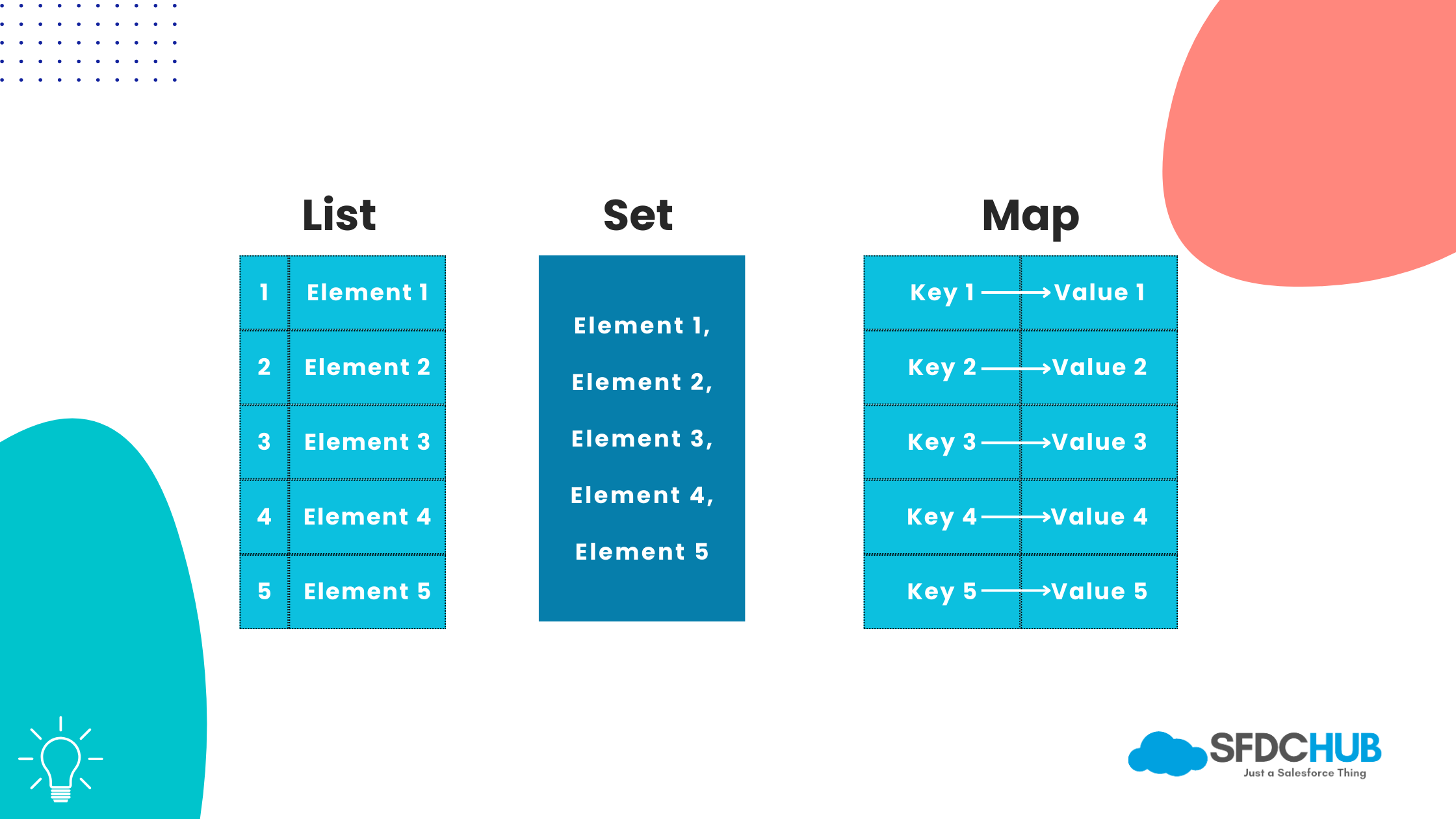
Collections in Apex coding basics let you store and manage multiple items. Apex provides three types: Lists, Sets, and Maps.
Lists
A List is an ordered, index-based collection that allows duplicates:
List<Integer> numbers = new List<Integer>();
numbers.add(10);
numbers.add(20);
numbers.add(10); // Duplicates OK
System.debug(numbers[1]); // 20 (index starts at 0)- Methods:
add(),size(),get(index),remove(index). - Alternative declaration:
List<Integer> nums = new Integer[]{1, 2, 3};
Lists are perfect for ordered data—like a sequence of tasks.
Sets
A Set is an unordered collection with no duplicates:
Set<String> uniqueNames = new Set<String>();
uniqueNames.add('Alice');
uniqueNames.add('Bob');
uniqueNames.add('Alice'); // Ignored
System.debug(uniqueNames.contains('Bob')); // true- Methods:
add(),size(),contains(),remove(). - Use Sets to deduplicate—like tracking unique email addresses.
Maps
A Map stores key-value pairs:
Map<Id, String> accountNames = new Map<Id, String>();
accountNames.put('0015f00000ABCDE', 'Acme Corp');
accountNames.put('0015f00000FGHIJ', 'Beta Inc');
System.debug(accountNames.get('0015f00000ABCDE')); // 'Acme Corp'- Keys must be unique; values can repeat.
- Methods:
put(),get(),keySet(),values().
Maps blew my mind when I first used them for lookups—like pairing record IDs with names.
Practical Example: Scoring System
Let’s tie Apex syntax and data types together with a detailed example. This program processes student scores, categorizes them, and tracks stats:
public class ScoreAnalyzer {
    public static void analyzeScores() {
        List<Integer> scores = new List<Integer>{85, 92, 65, 78, 95};
        Map<String, Integer> lastScoreByCategory = new Map<String, Integer>();
        Set<Integer> uniqueScores = new Set<Integer>();
        Integer total = 0;
        Double average;

        for (Integer score : scores) {
            uniqueScores.add(score); // Track unique scores
            total += score; // Running sum

            if (score >= 90) {
                lastScoreByCategory.put('Excellent', score);
            } else if (score >= 70) {
                lastScoreByCategory.put('Good', score);
            } else {
                lastScoreByCategory.put('Needs Work', score);
            }
        }

        average = total / (Double)scores.size(); // Cast to Double for precision
        System.debug('Unique Scores: ' + uniqueScores);
        System.debug('Last Scores by Category: ' + lastScoreByCategory);
        System.debug('Average Score: ' + average.setScale(2));
    }
}
Run it with ScoreAnalyzer.analyzeScores();. Here’s what it does:
- List: Stores scores.
- Set: Tracks unique scores.
- Map: Maps categories to the last score in each.
- Loop and If/Else: Processes and categorizes.
- Math: Calculates an average.
This was one of my first real Apex projects—it showed me how syntax and data types work together.
Pro Tips for Apex Syntax and Data Types
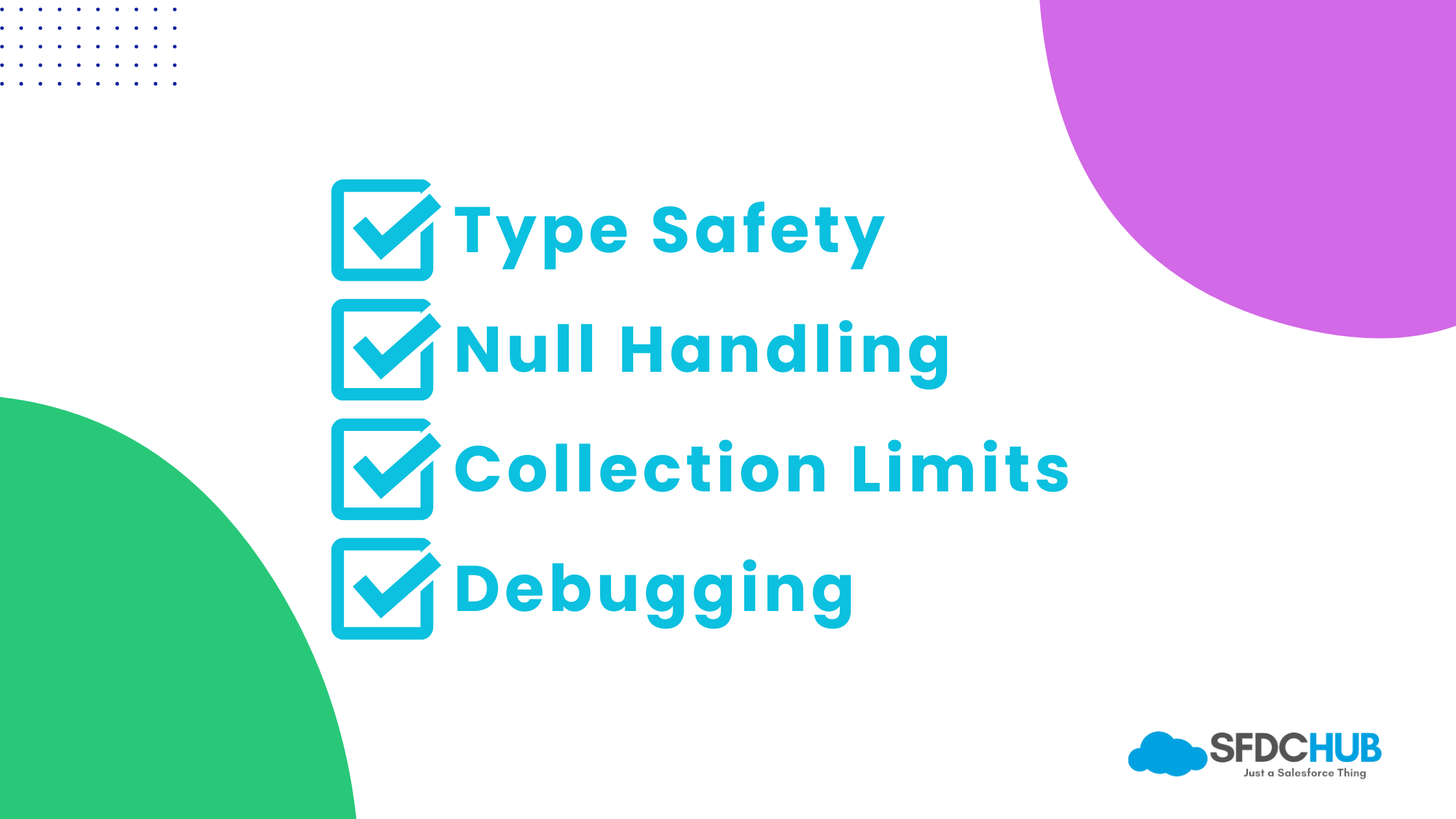
- Type Safety: Double-check your types—String x = 5; won’t compile.
- Null Handling: Variables can be null; use if (x != null) to avoid errors.
- Collection Limits: Watch governor limits—don’t exceed 10,000 items in a List!
- Debugging: Sprinkle
System.debug()everywhere to inspect values.
I learned these the hard way—null pointer exceptions haunted me until I got proactive with checks.
More References
Conclusion
This Apex syntax tutorial has armed you with the essentials of Salesforce Apex data types and syntax—variables, operators, control structures, and collections. You’ve gone from basic declarations to a full scoring system, building a solid base to learn Apex programming. It’s a lot to take in, but trust me, it clicks with practice.
Next, we’ll tackle classes and objects, stepping into object-oriented Apex programming. For now, experiment with the ScoreAnalyzer—maybe add a new category or tweak the logic. The more you code, the more you’ll master Apex programming.
Thanks for sticking with me. I will see you in the next post!

Abhishek
Mr. Abhishek, an experienced Salesforce Application Architect with over 10+ years of development experience and 12x Salesforce Certified. His expertise is in Salesforce Development, including Lightning Web Components, Apex Programming, and Flow has led him to create his blog, SFDC Hub.